A headless CMS for the maps you build for clients
Build the map once. Your client keeps it up to date. This is the backend behind the maps agencies, GIS studios and freelancers build for clients: your coding agent sets it up, you connect your own front end, and your client’s team edits places in a map editor with drafts, roles and history.

Every map you ship creates work afterwards
The map is the easy part. The hard part starts after launch, when the places change.
- Pins live in code or a spreadsheet
A new branch, a closed trail or a moved event means a request to you, then a change, a review and a deploy.
- Clients can’t safely touch it
Editing a JSON file or a database is not something their staff should do, so every small change comes back to you.
- A coding agent only gets you part of the way
It can write a spatial query. It doesn’t give your client’s team a safe way to keep the data right for years.
How a project goes
One project, shared between you and your client.
- 1You or your coding agent create the project, model the places and import the data. An agent can start with no account, and a person claims the project at the end.
- 2You build the front end with the map library you already use, such as MapLibre, Mapbox GL or Leaflet, reading the published content as JSON, GeoJSON or vector tiles.
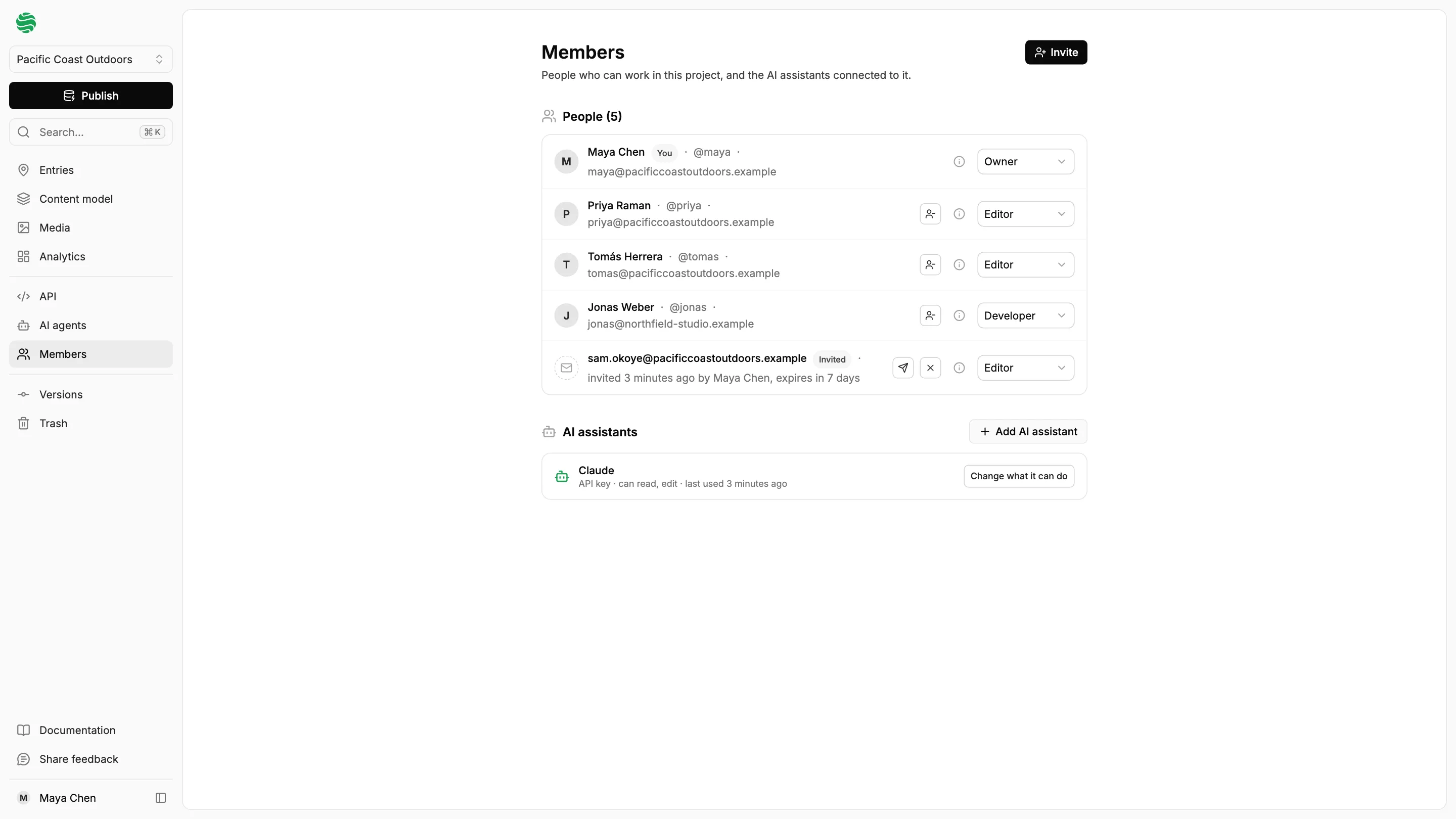
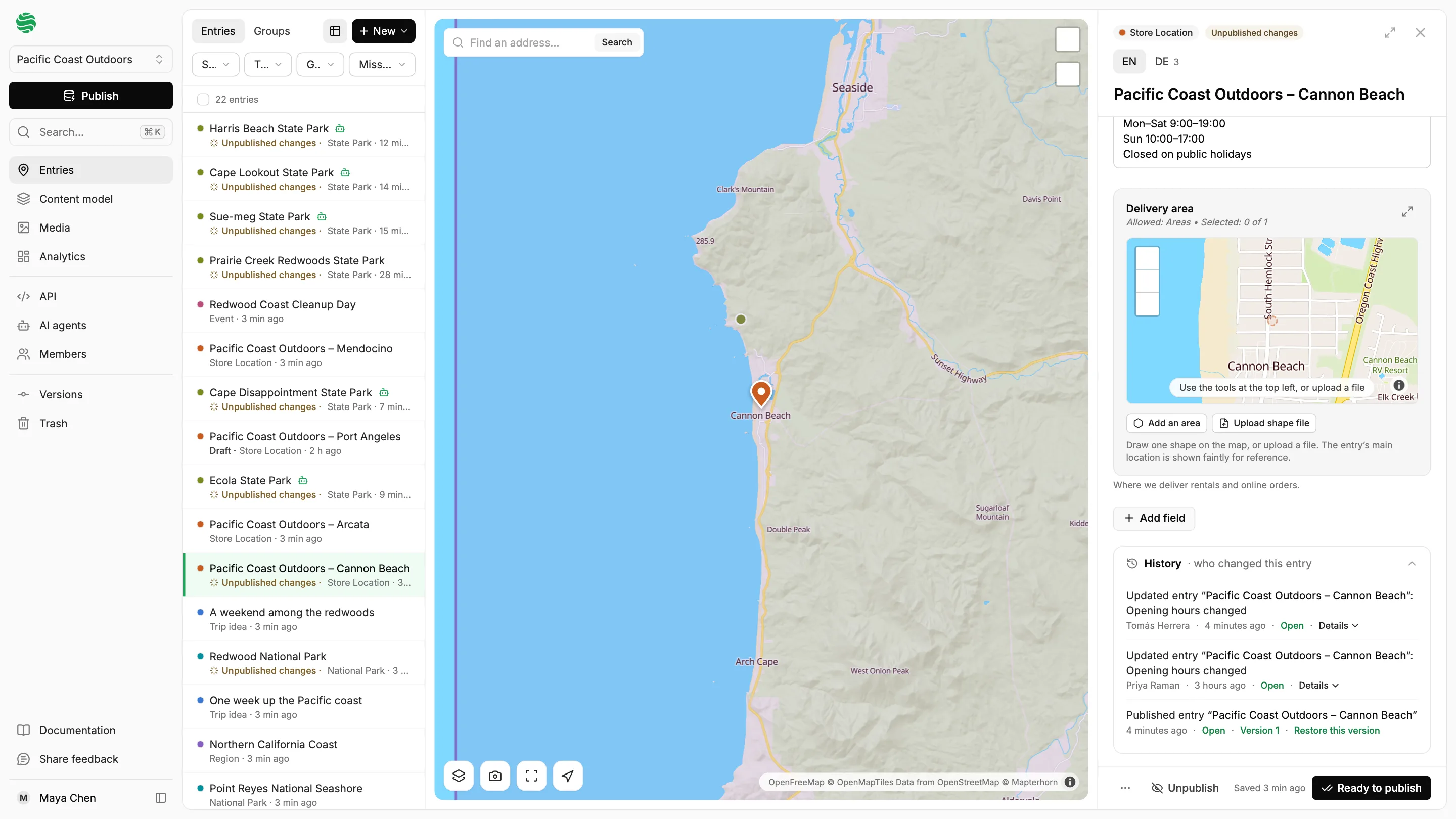
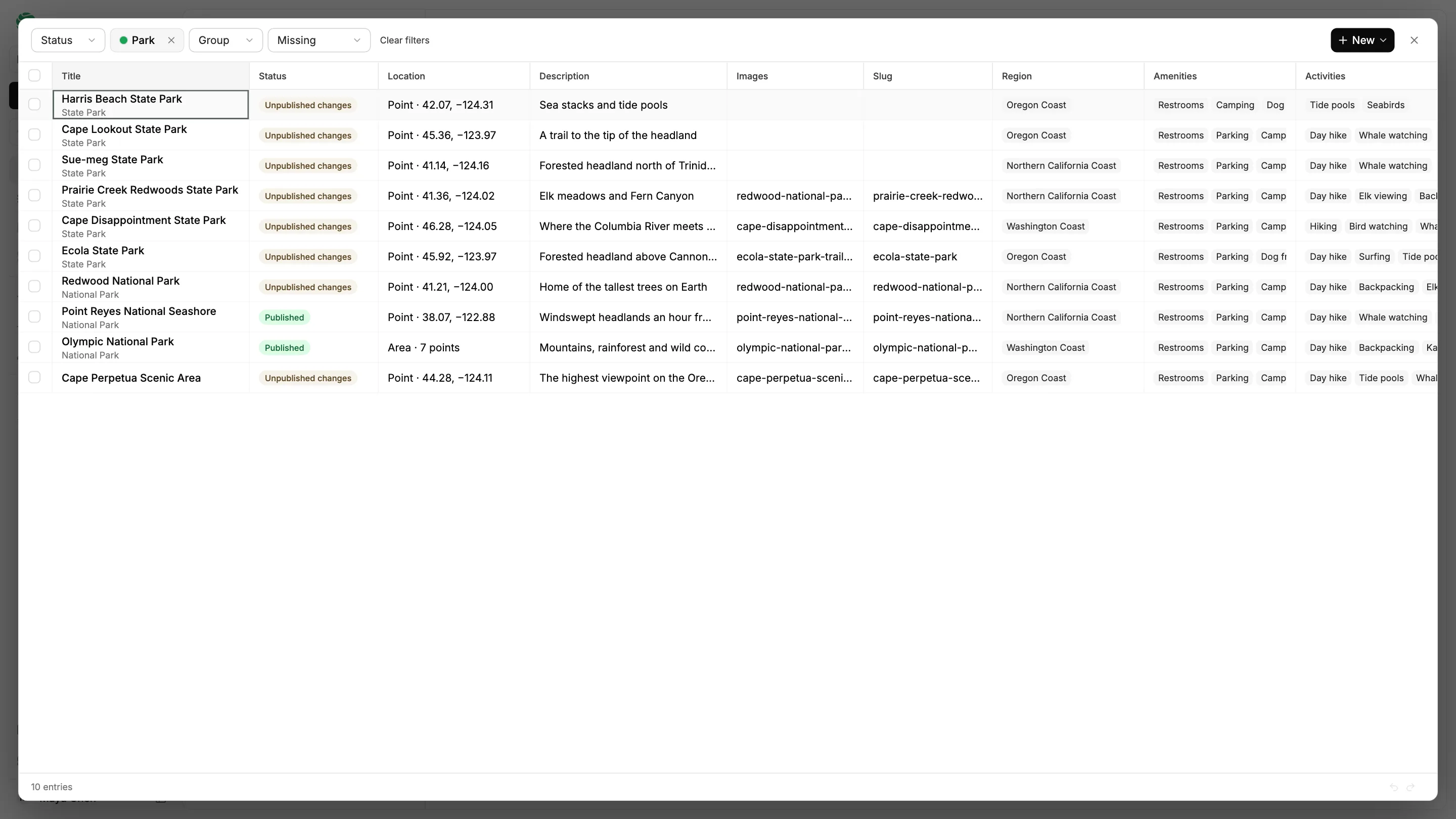
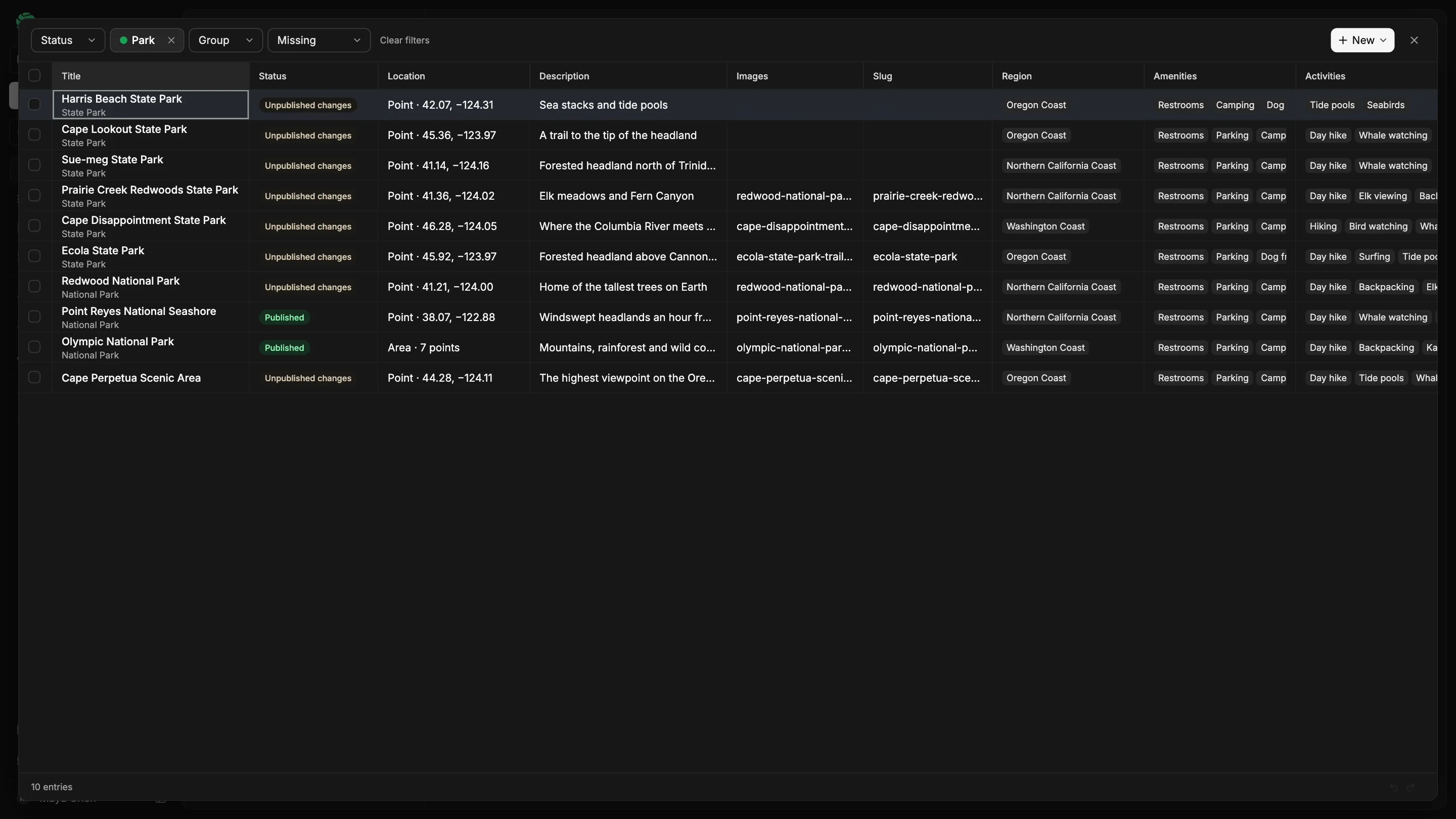
- 3You invite your client’s team by email. They edit places in the map editor, mark their drafts ready and publish the project when everything is ready.
- 4When you want to let go, make someone on the client’s side an owner. There is no separate transfer step.
What the hand-over looks like
The screens your client’s team works in, once you have set the project up.
Moving a client’s existing map across
You don’t need a new build to start. Many client sites already have the places somewhere, and they can move across.
Hardcoded in the repo
Your coding agent finds the JSON, GeoJSON or CSV, moves it into a project and points the app at the API.
In a spreadsheet
Import a CSV or Excel file, or a Google Sheet by its link. Importing again updates the same entries.
In Google My Maps
Import the map by its link, with its places, lines and areas. Each layer is kept in a folder column.
In a database
Import a PostGIS table, or other formats such as GeoJSON, KML/KMZ, GPX, Shapefile and GeoParquet.
However it starts, it ends as one project with a live API.
What your client’s team gets, and what they can’t break
Each person on a project has a role, so the client can work freely without touching your setup.
Want it under your own brand?
Your own branding
On requestYour logo and button style in the editor your client’s team uses.
Your own domain
On requestLet your client’s team open the editor on an address of yours.
Questions, answered
Who owns the data, and can we get it out?
Your client’s data stays theirs. Export every entry as GeoJSON from the project menu, download files from the media library, and read everything published through the API at any time.
Why not let a coding agent write it on Postgres?
For a simple query with no editors, that may be all you need. An agent can write a spatial query, but it doesn’t give your client’s team a safe way to keep the data right for years: a map editor, drafts, roles, history and a trash. You get those, and your agent can still do the setup.
Does it fit our stack?
Published places come as JSON, GeoJSON and vector tiles, so MapLibre, Mapbox GL, Leaflet, QGIS and ArcGIS can read them. You can import a PostGIS table, a spreadsheet or files such as Shapefile, KML and GeoParquet, up to 10,000 rows at a time.
How reliable is it, and is it backed up?
The database and files are backed up every night and kept off-site, and a failed release rolls back by itself.
Can the client’s staff keep it up to date without breaking anything?
Yes. You invite them by email as editors: they edit and publish places, but can’t change the content model, keys or members. Edits stay drafts until published, deleted items wait 30 days in the trash, and the activity log shows who changed what. Every publish is saved as a numbered version, so a bad publish can be undone in one click.
Can I hand a project over, and manage several clients?
A project can have several owners, so you make someone on the client’s side an owner, then change your role or leave. Members belong to one project each, so there is no agency-wide view across clients yet.
Can I white-label it?
Yes, on request. We set up your own branding in the editor and your own domain with you, so your client’s team works in a tool that looks like yours. Talk to us about what you need.
What does it cost, and can I bill it to my client?
It’s free for everyone during the public beta, and paid plans aren’t set yet. We’d like to hear how you charge clients for maintenance, so the plans fit that.
Can it run on our own infrastructure?
Talk to us about hosting on your own servers or in another region, and about service levels and support.
Tell us about a client project
Start free, or tell us what you are building for a client. We would like to hear about it.